
Use Rainbow
Use Rainbow on mobile or desktop for a visual Ethereum and Base NFT experience.
- Audience
- Card owners
- Updated
- 2026-07-30
Who this wallet is for
Users who prefer a simple wallet interface and a clear collectibles view.
Official download
Use only the official link below. Check the website domain before installing an app or browser extension.
Set up the wallet
- Open Rainbow's official download page and choose the mobile app or supported browser extension.
- Create or import a wallet and protect the recovery method outside EditionKey.
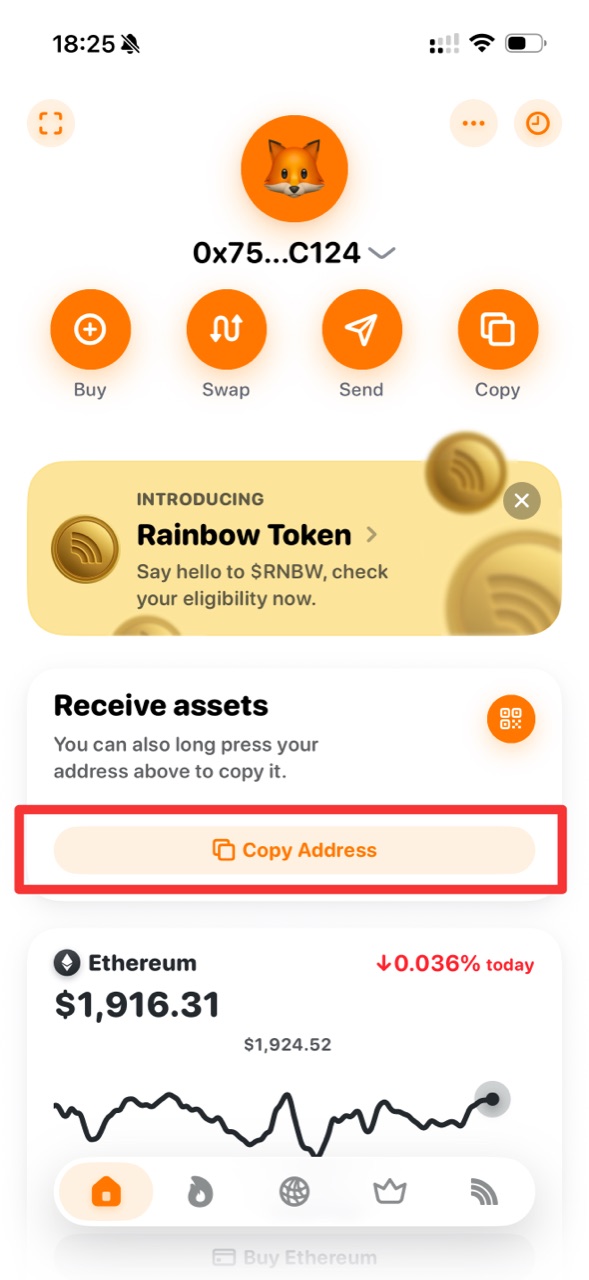
- Select the account you control. On Home, tap Copy or use Copy Address under Receive assets to copy the public 0x address.
Receive your EditionKey certificate
EditionKey transfers the NFT Certificate on Base to the public address you confirm. The platform pays for the initial transfer.
- Paste the same address into both EditionKey fields and compare it carefully.
- Complete the final confirmation only after checking that you control the selected Rainbow account.
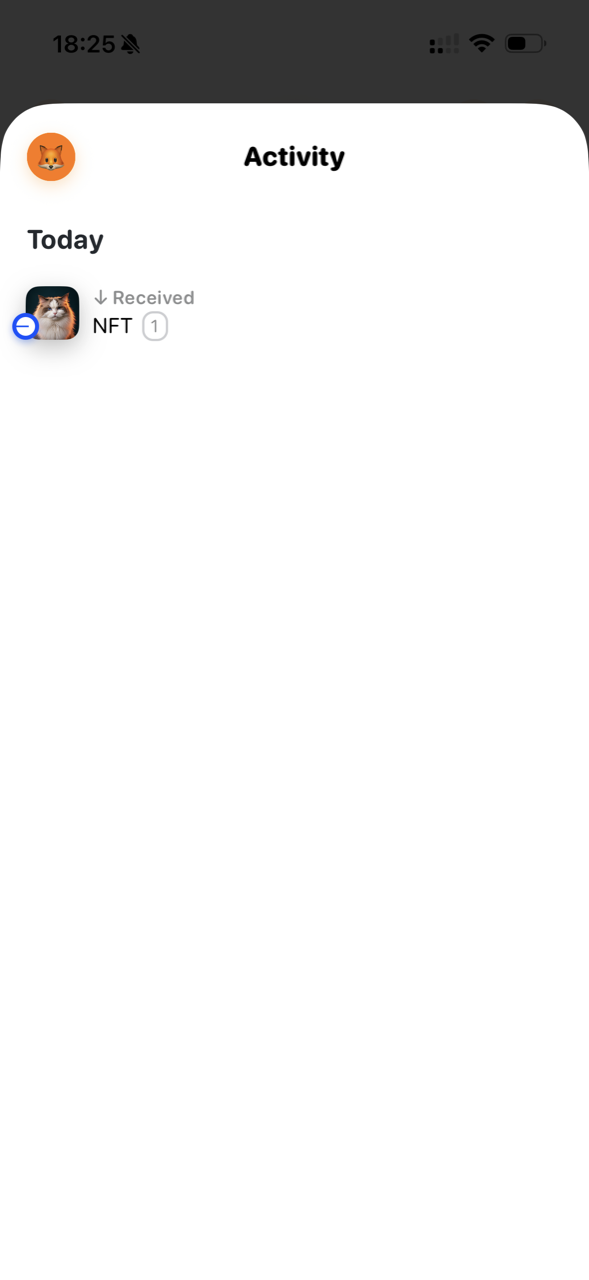
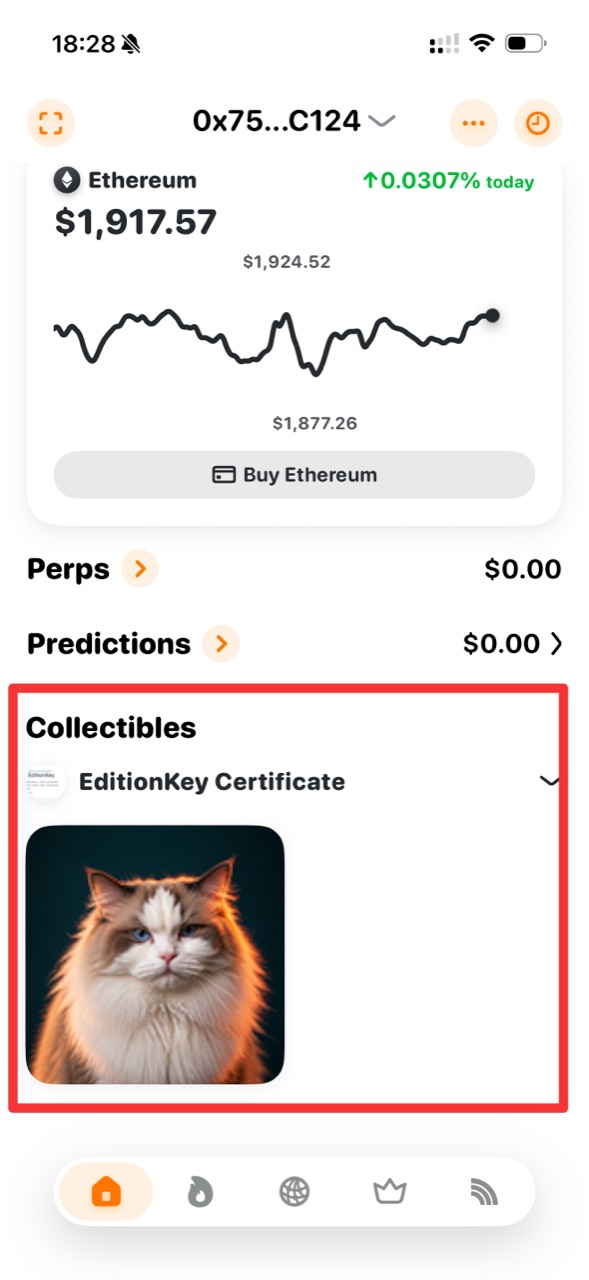
- After claim, use Activity to check the received NFT record, then find the EditionKey Certificate under Collectibles on Home.
Copy the address and view the received certificate
The screenshots below use Rainbow Mobile. Rainbow can use the same 0x account address across Ethereum, Base and other EVM networks, but assets remain on their transfer network. The Ethereum market card on Home does not mean the certificate is on Ethereum; EditionKey transfers the NFT Certificate on Base.
- On Rainbow Home, confirm the selected account, then tap Copy or Copy Address under Receive assets. Paste the complete copied 0x address into EditionKey and compare it before confirming.
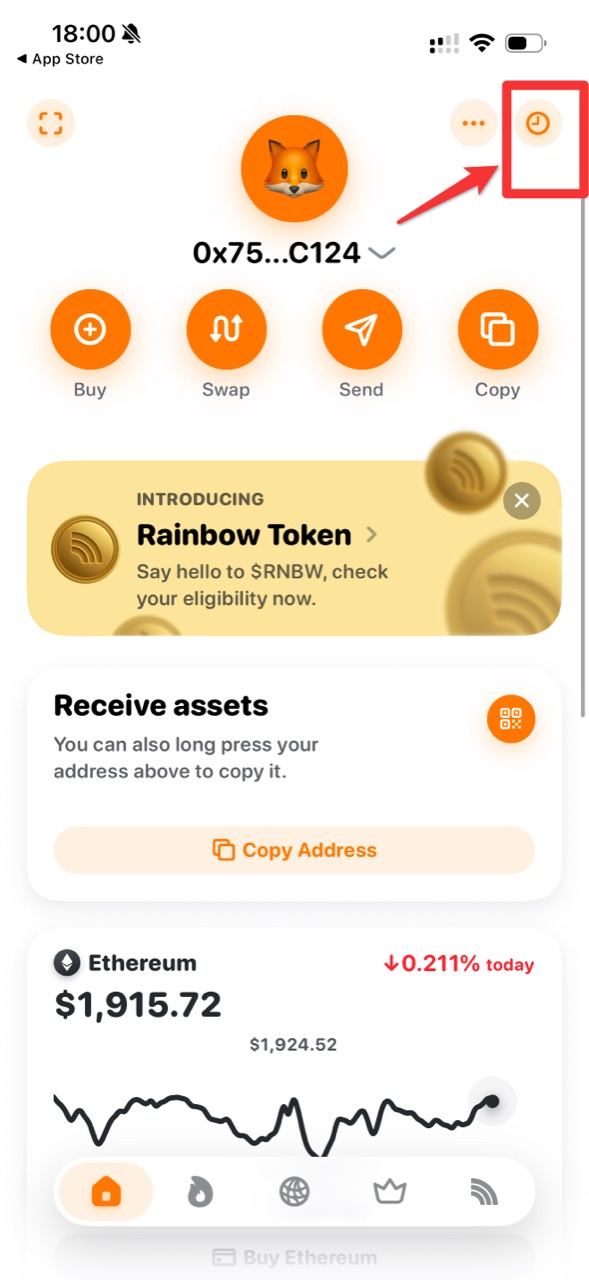
- After EditionKey shows the certificate as claimed, tap the clock icon in the upper-right corner of Rainbow Home to open Activity.
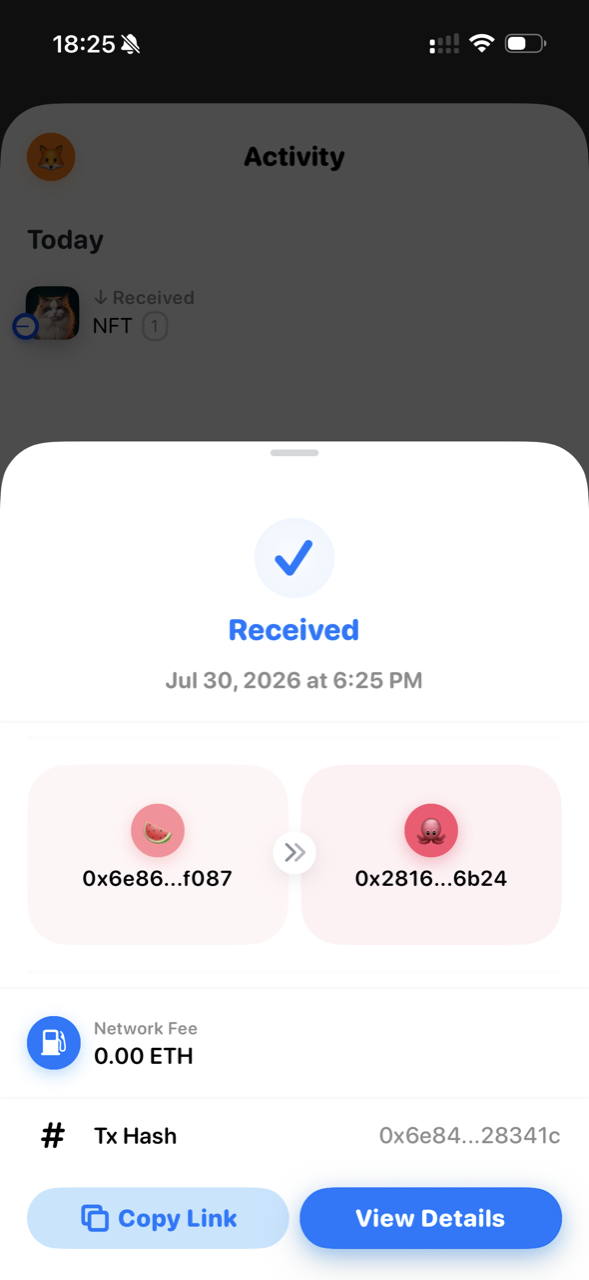
- Find the Received NFT entry. Tap it to open the receipt details, where you can review the sender, receiving wallet, network fee and transaction hash or use View Details.
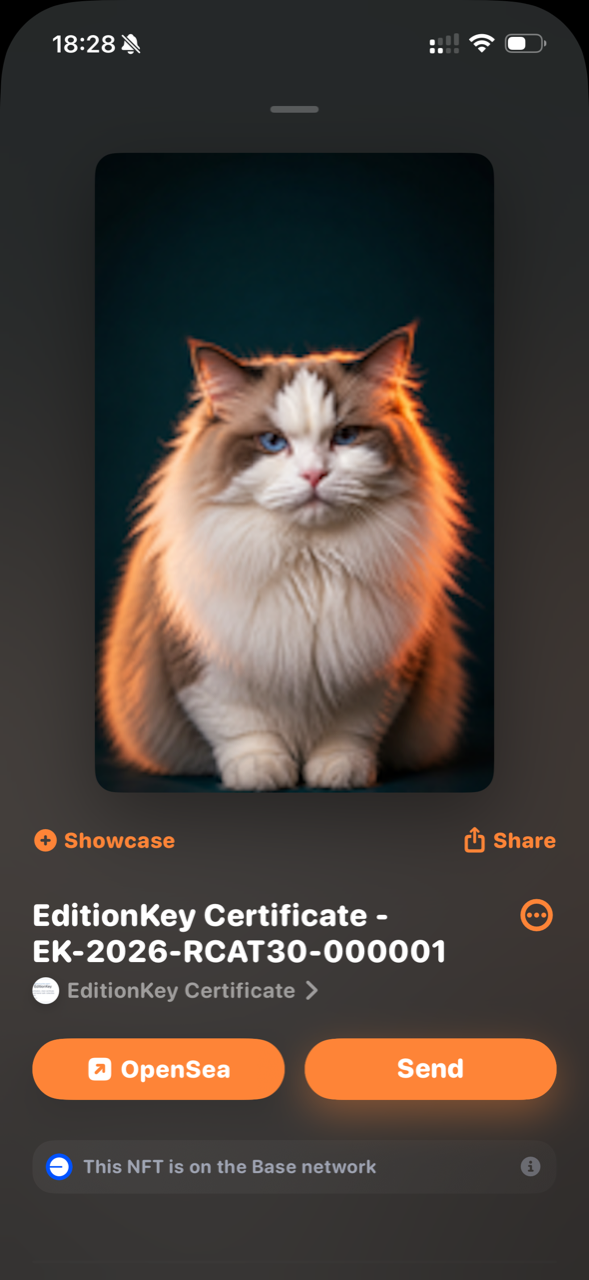
- Return to Home and scroll down to Collectibles. Find the EditionKey Certificate collection and tap the certificate image.
- Open the certificate to compare its image and Certificate/Card ID. The details screen should state that the NFT is on the Base network.
- If Activity shows the received NFT but Collectibles has not appeared yet, refresh Rainbow and verify the owner from EditionKey or BaseScan. Wallet indexing can take time and does not change the on-chain transfer.
Important warning
Do not paste a recovery phrase into EditionKey. The only value EditionKey asks you to enter is the public Base address.