
Use Base App or Base Account
A beginner-friendly Base-native option using an app or passkey-backed smart wallet.
- Audience
- Card owners
- Updated
- 2026-07-30
Who this wallet is for
First-time wallet users who want a Base-native experience and a simpler sign-in method.
Official download
Use only the official link below. Check the website domain before installing an app or browser extension.
Set up the wallet
- Open the official Base download page and install the app, or use a Base Account with a passkey when that option is presented.
- Follow the official setup flow. Protect the email, Apple or Google account and device passkey used for recovery.
- Open the wallet assets or receive screen and copy the Base EVM address beginning with 0x.
Receive your EditionKey certificate
EditionKey transfers the NFT Certificate on Base to the public address you confirm. The platform pays for the initial transfer.
- Confirm that you are using Base mode or a Base Account address, not a Coinbase Exchange deposit screen.
- Paste the 0x address into EditionKey twice and complete the final address confirmation.
- After transfer, check the NFT or assets view. If the image is delayed, verify ownership from the EditionKey Card page or Base explorer.
View your certificate in Base App
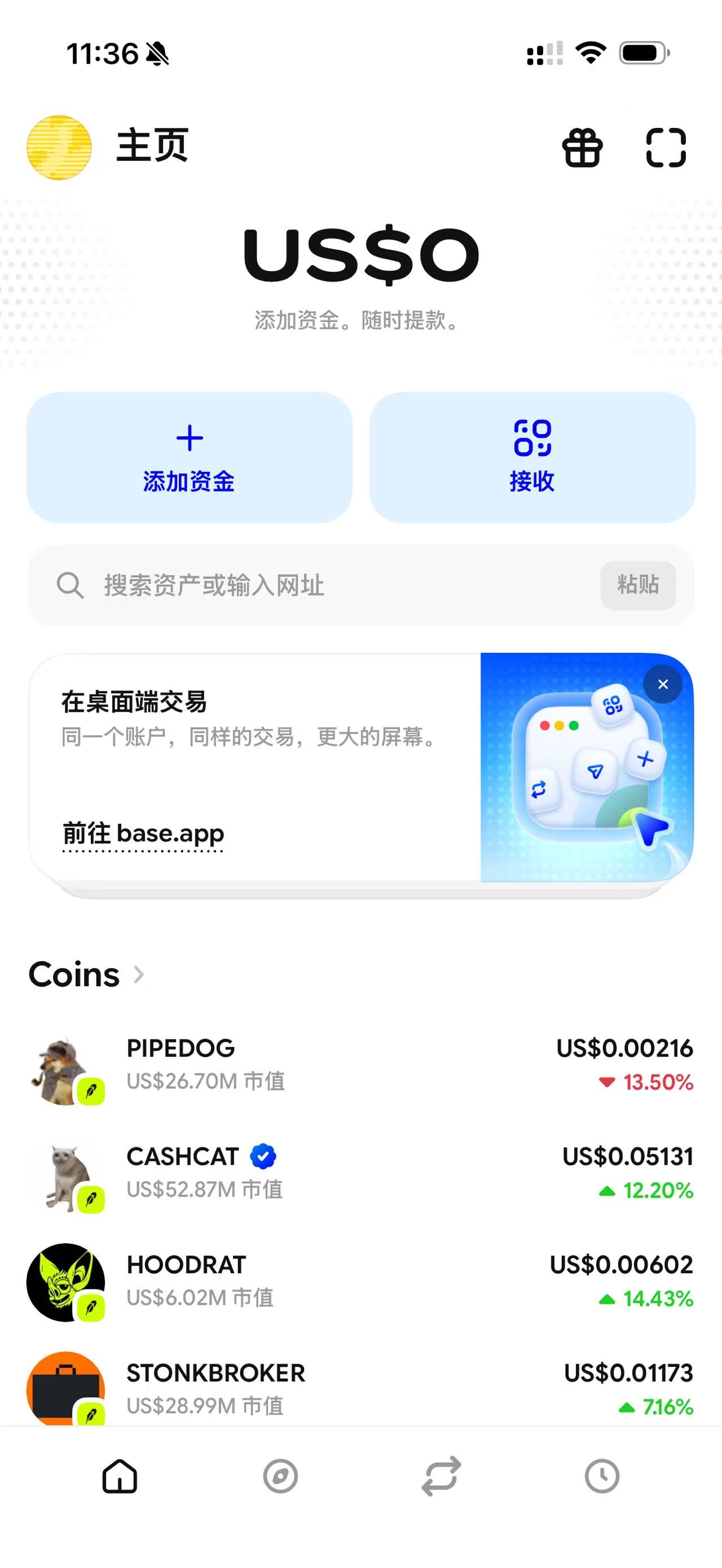
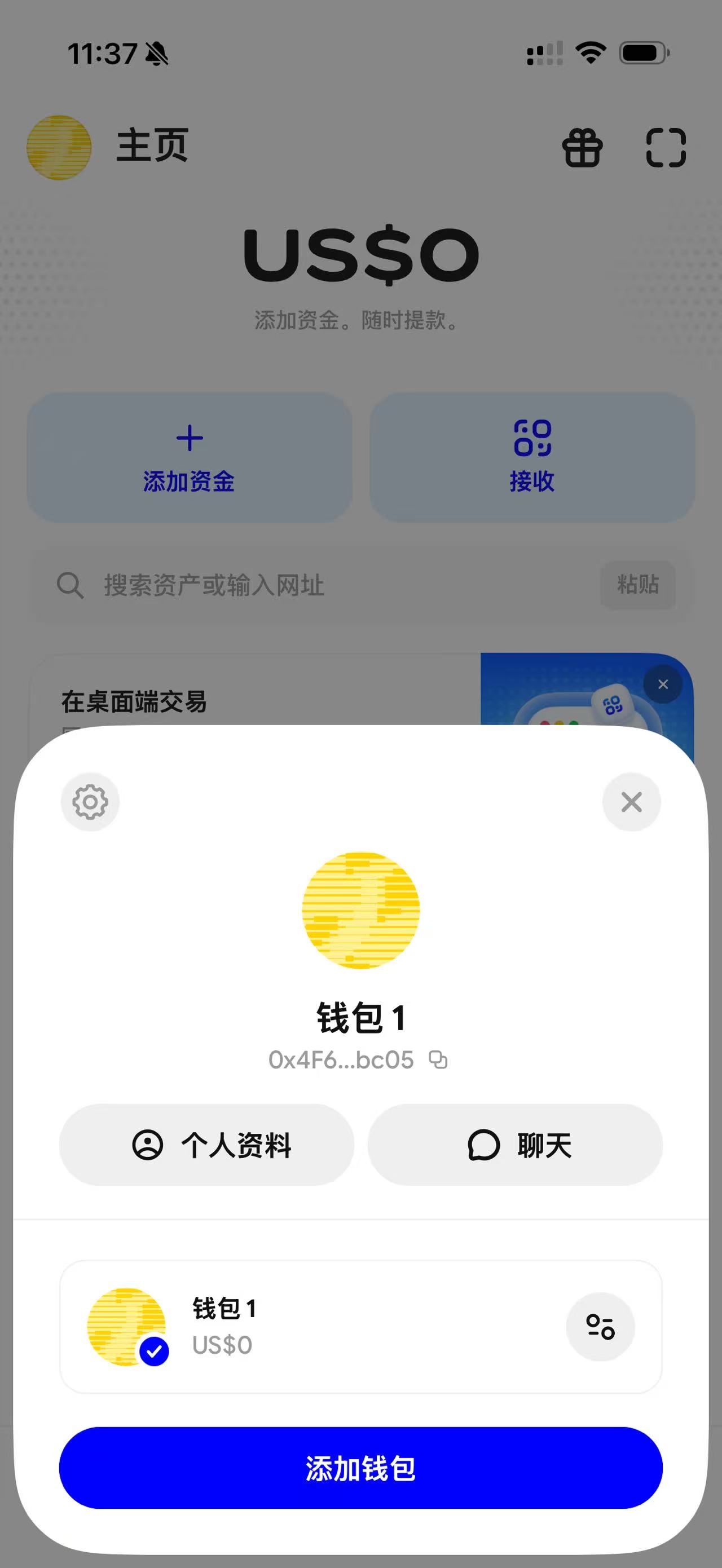
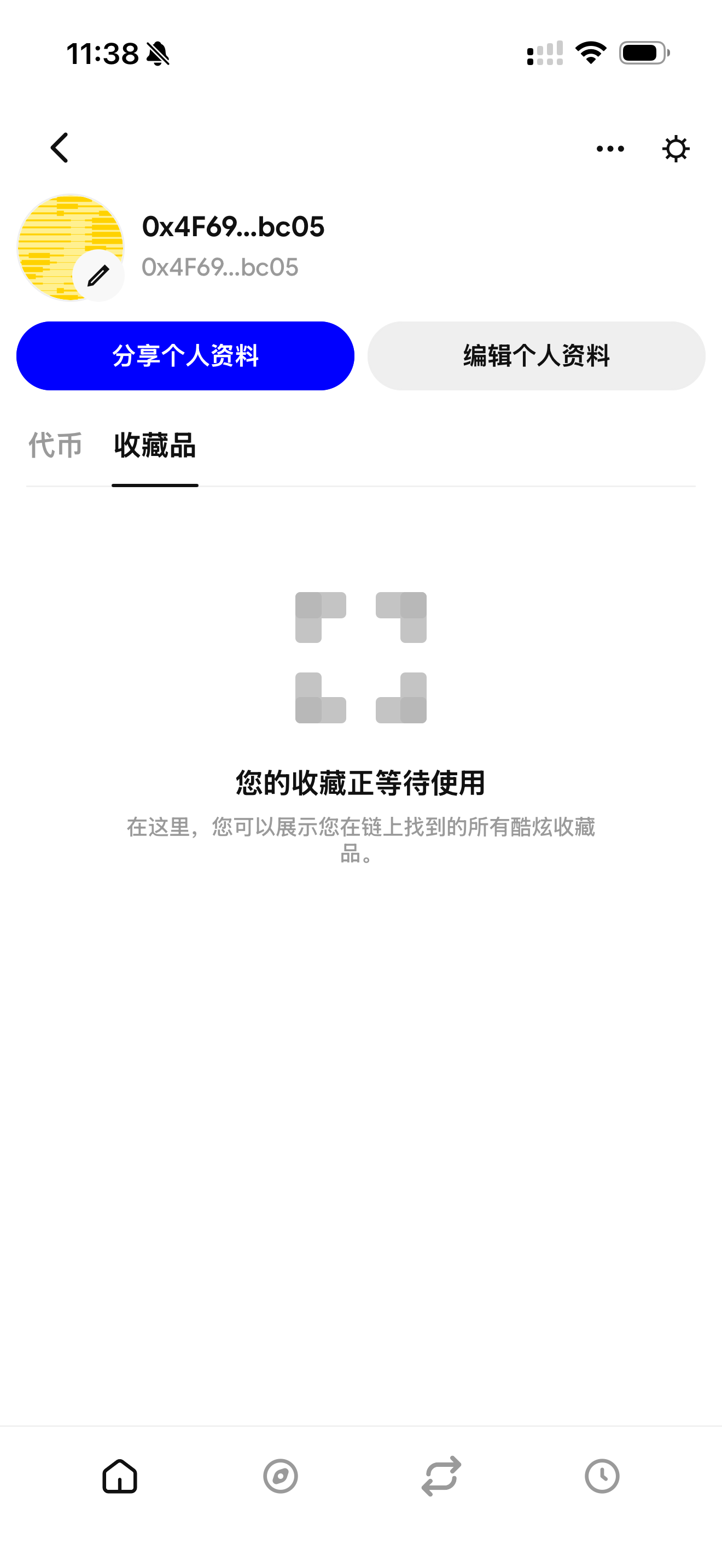
After EditionKey shows the certificate as claimed and the transfer is complete, use the Base App profile to open its collectibles view. The screenshots below use a Chinese-language Base App, but the icon positions and flow are the same.
- On Home, tap the wallet avatar in the upper-left corner.
- In the wallet panel, tap Profile. Do not add another wallet just to look for the certificate.
- Open the Collectibles tab. Confirm that the displayed 0x wallet is the same address used for the EditionKey claim.
- If Collectibles is empty, first check My Cards and the BaseScan owner record. An empty Base App view can be an indexing or display delay and does not by itself prove that the transfer failed.
Important warning
Base App does not require a Coinbase Exchange account. A Coinbase Exchange deposit address is not a supported receiving wallet for an EditionKey NFT Certificate.