
Use Rabby
Use Rabby as an EVM-focused wallet for a Base receiving address.
- Audience
- Card owners
- Updated
- 2026-07-30
Who this wallet is for
More experienced EVM users who want clear network and transaction context.
Official download
Use only the official link below. Check the website domain before installing an app or browser extension.
Set up the wallet
- Open rabby.io and use only the download links provided by the official site.
- Create or import a wallet you control. Rabby may also be used with supported hardware wallets.
- Choose the account and copy its public 0x address. Rabby uses the same account address across supported EVM networks.
Receive your EditionKey certificate
EditionKey transfers the NFT Certificate on Base to the public address you confirm. The platform pays for the initial transfer.
- Paste the address into EditionKey twice and verify the complete value.
- Rabby does not require you to preselect Base like MetaMask. When a connected DApp requests a transaction, Rabby automatically uses the network requested by that DApp. EditionKey's initial claim does not ask your Rabby wallet to send a transaction: EditionKey transfers the certificate on Base to the confirmed EVM address.
- No token approval or outgoing transaction is required for the initial EditionKey claim transfer.
- After claim, use Rabby's NFT view, EditionKey verification page or a Base explorer to confirm ownership.
View the received certificate in Rabby
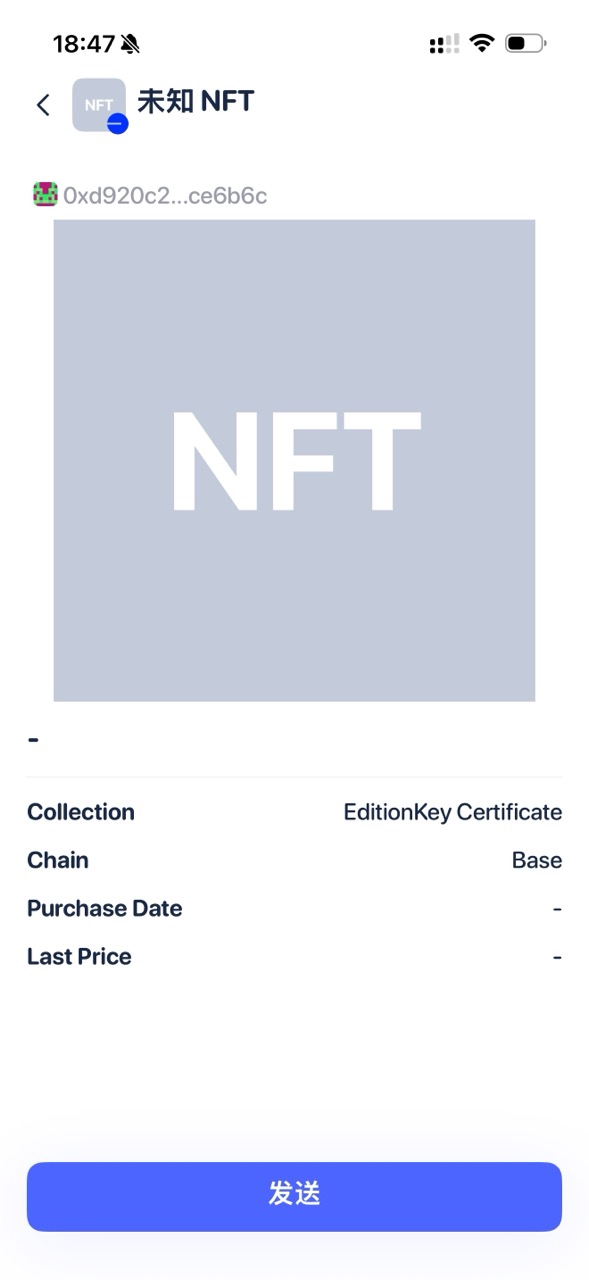
After My Cards shows the certificate as claimed, use the wallet and NFT entries shown below. Rabby may first display a new certificate as Unknown NFT with a generic thumbnail while its metadata index catches up. That display delay does not change the Base owner or reverse the transfer.
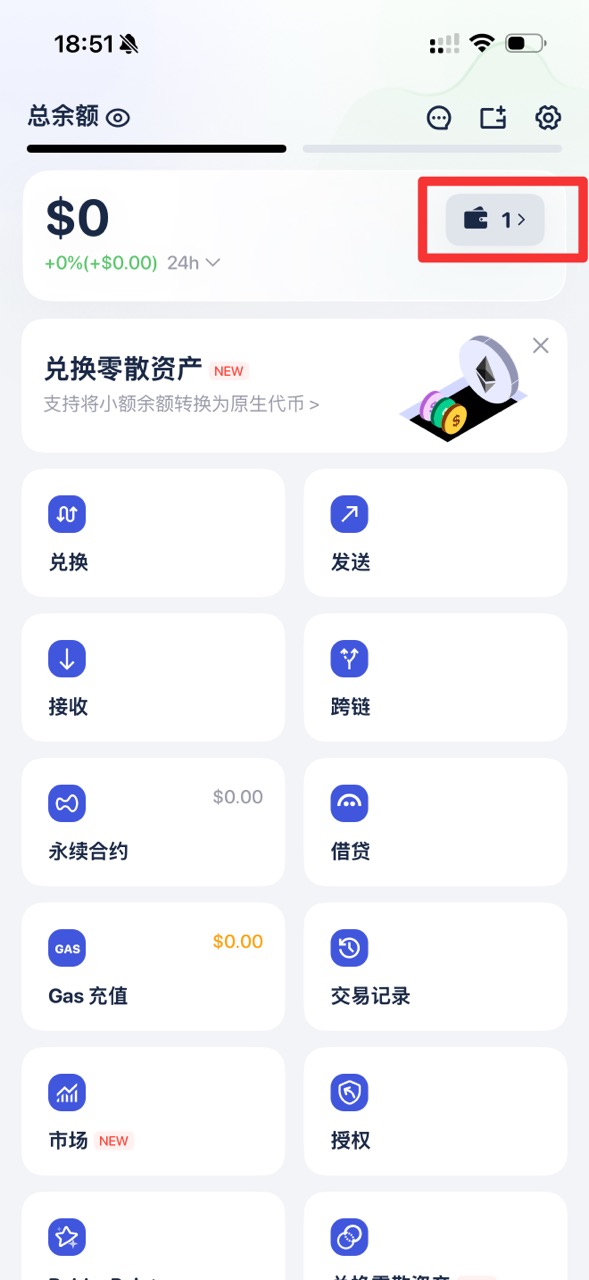
- On Rabby Home, tap the wallet tile in the upper-right corner to open the selected wallet.
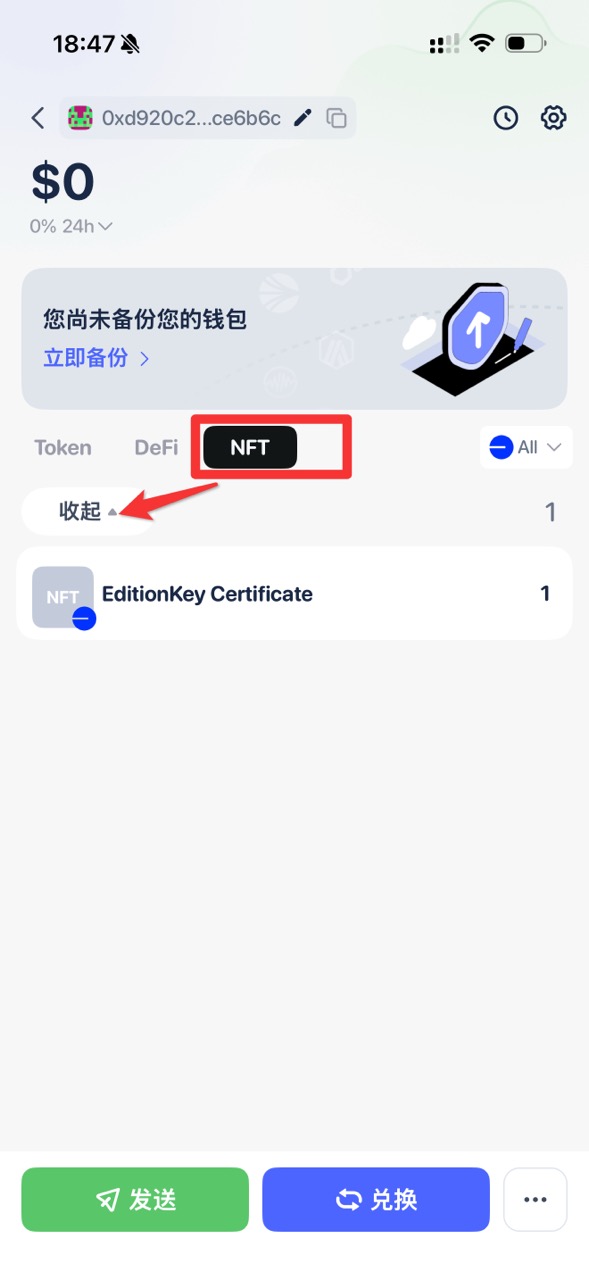
- Open the NFT tab. Expand the collection if needed, then tap EditionKey Certificate.
- Open the certificate details and confirm that Collection is EditionKey Certificate and Chain is Base.
- If the title says Unknown NFT or the artwork remains a generic gray NFT image, refresh Rabby later and verify the same certificate from EditionKey My Cards or BaseScan. Do not Mint or transfer a second certificate just to refresh the wallet image.
Important warning
Hardware-wallet users must keep the device and recovery method under their own control. EditionKey never asks you to reveal or export them.