
Use OKX Web3 Wallet
Use OKX Web3 Wallet on Base, not an OKX Exchange deposit address.
- Audience
- Card owners
- Updated
- 2026-07-30
Who this wallet is for
OKX users who understand the difference between the exchange account and the self-custody Web3 Wallet.
Official download
Use only the official link below. Check the website domain before installing an app or browser extension.
Set up the wallet
- Open the official OKX Wallet download page and install the mobile wallet or supported browser extension.
- Inside OKX, enter Web3 Wallet / Wallet mode. Create or import a self-custody wallet and protect its recovery method.
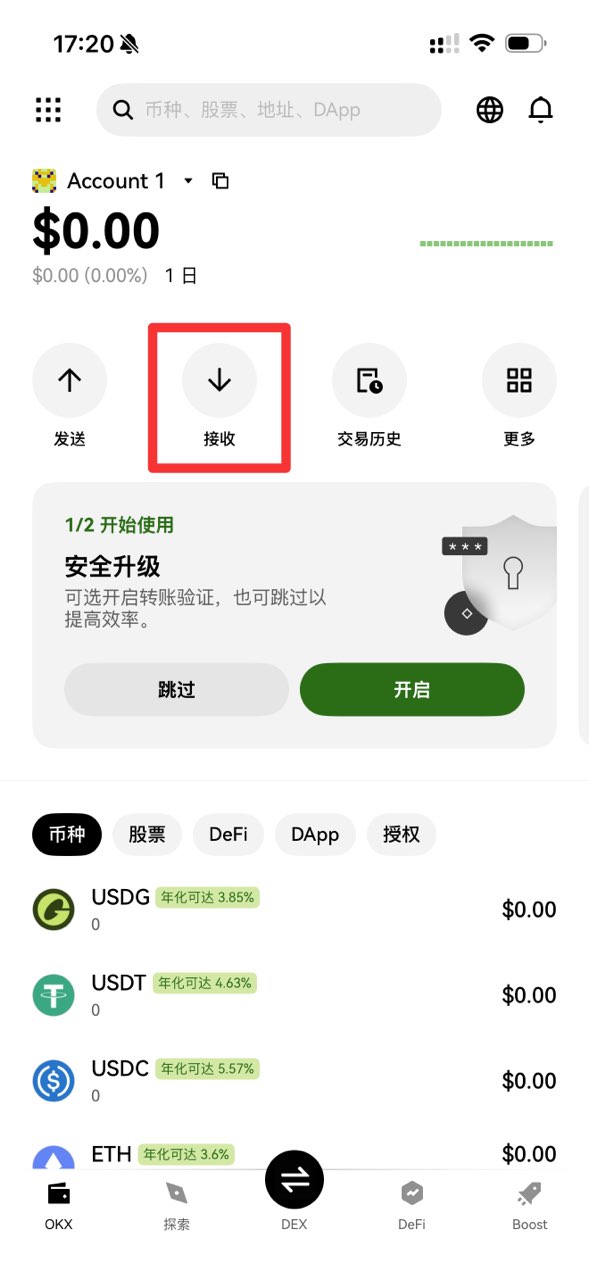
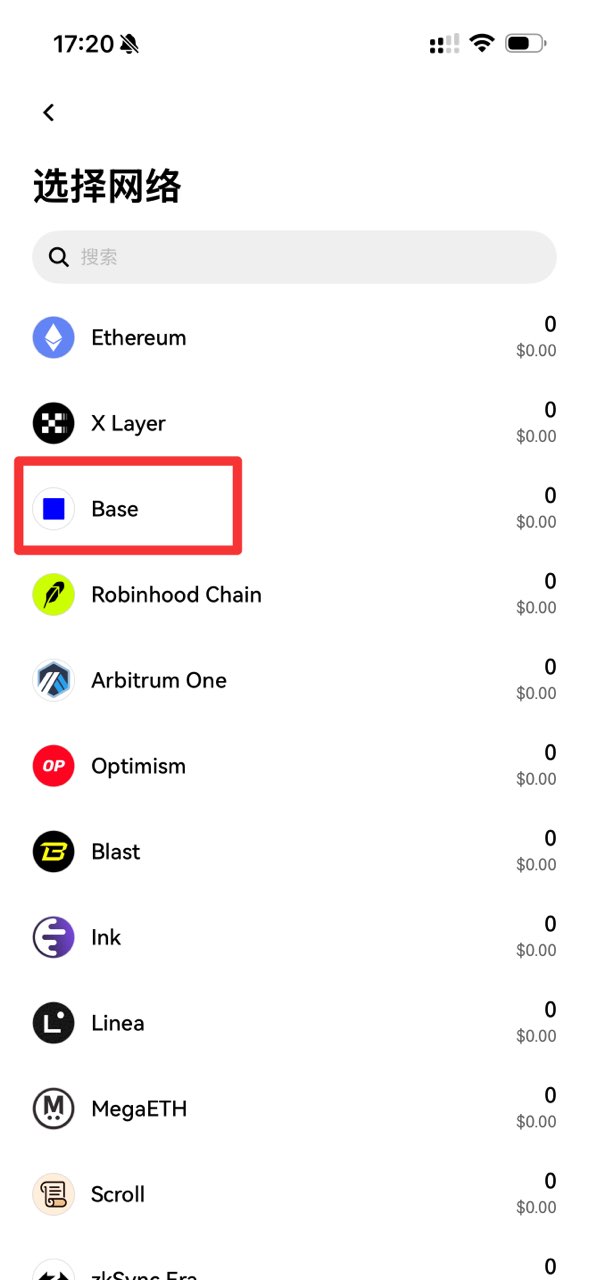
- Select Base, choose Receive and copy the self-custody address beginning with 0x.
Receive your EditionKey certificate
EditionKey transfers the NFT Certificate on Base to the public address you confirm. The platform pays for the initial transfer.
- Check that the screen says Web3 Wallet and Base before copying the address.
- Paste the same 0x address into EditionKey twice and complete the final confirmation.
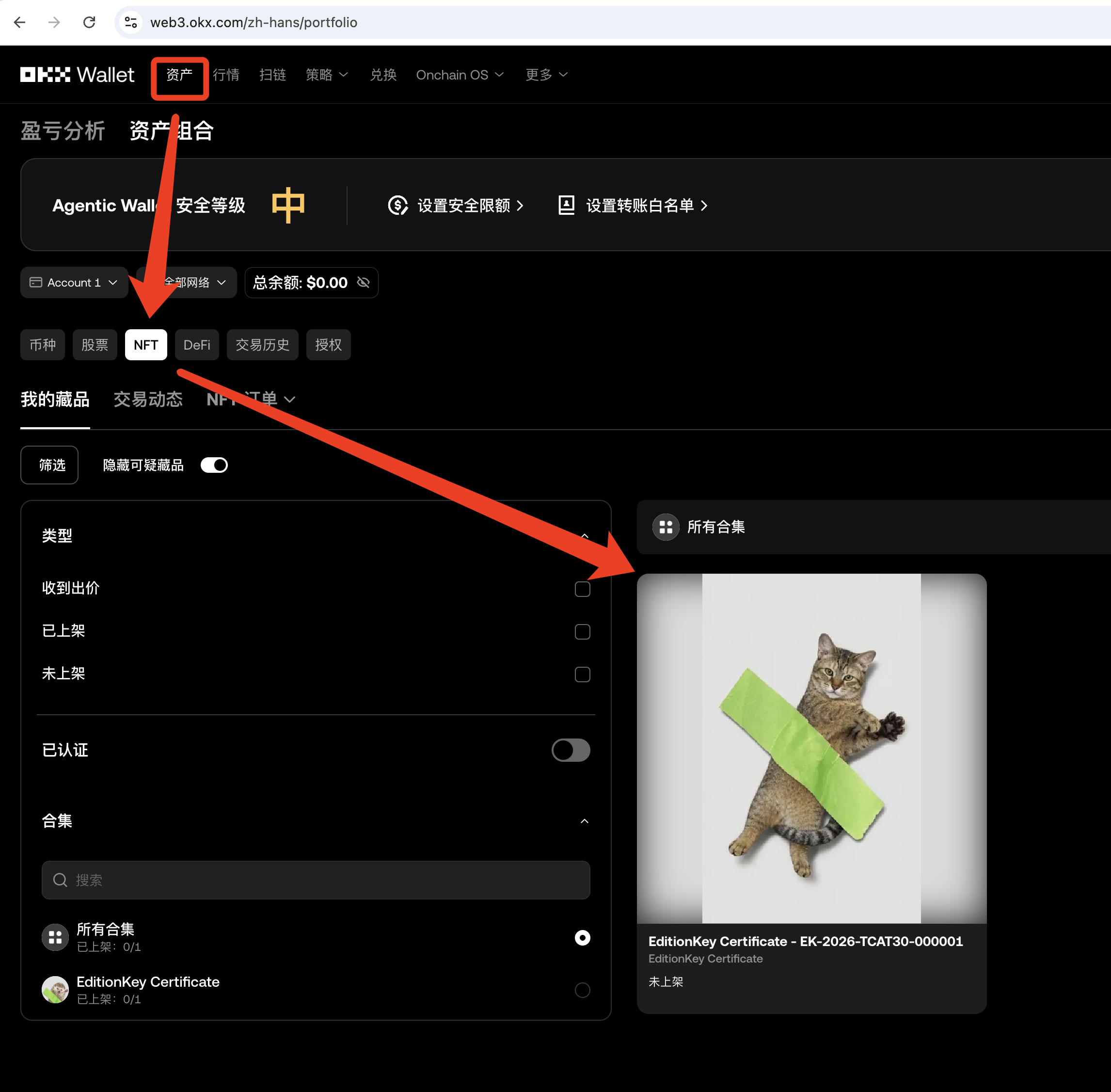
- After transfer, use the OKX Wallet web portfolio link below to view the NFT Certificate. The current mobile app may not show the same NFT portfolio entry.
Select Base and view your NFT Certificate
Use the screenshots below to select the Base receiving address before claiming. After the transfer completes, open the OKX Wallet web portfolio with the same wallet account to view the certificate.
The current OKX Wallet mobile app may not expose the same NFT portfolio entry shown on the web version. If the certificate appears in the web portfolio but not in the app, that is a mobile display limitation and does not mean the on-chain transfer failed.
- On the OKX Web3 Wallet Home screen, tap Receive.
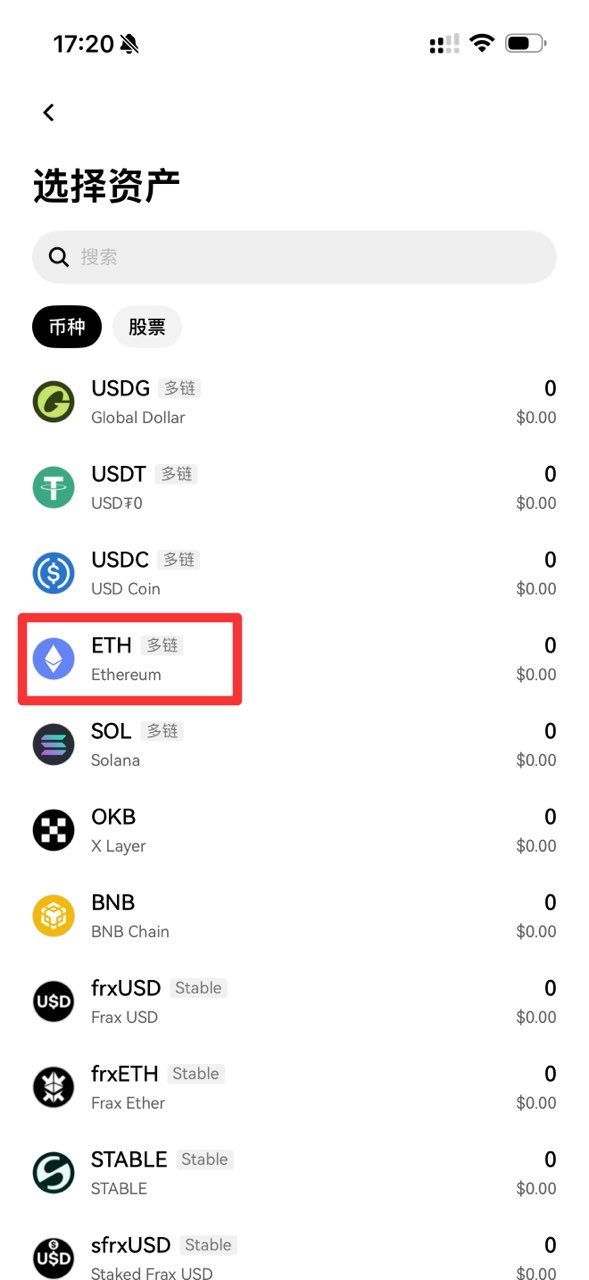
- Choose ETH from the multi-chain asset list, then choose Base from the network list. Copy the complete Base 0x address and use that same address in EditionKey.
- After My Cards shows the certificate as claimed, open the OKX Wallet NFT portfolio link below in a browser and connect the same wallet account.
- Open Assets, select NFT, then My collectibles. Use the network selector to choose Base or All networks.
- If the card says Not listed, it means the NFT is not listed for sale; it does not mean that the certificate was not Minted or received.
Important warning
Not supported: OKX Exchange Deposit, Funding Account or Trading Account addresses. Supported: an OKX Web3 Wallet address you control on Base. The shared OKX brand does not make these account types interchangeable.